Choosing a CRM: a practical checklist
Choose CRM based on how you work with customers, deals and follow-up. Use the checklist to test systems and compare needs, costs and support.

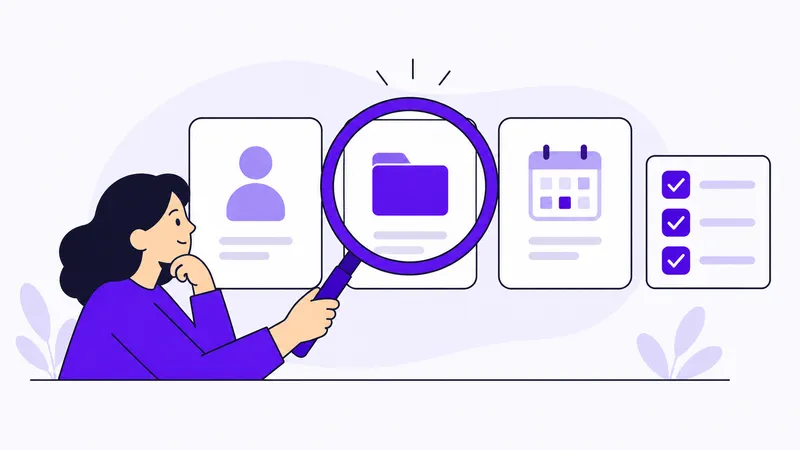
When choosing a CRM, you need to know what should become easier in everyday work. Perhaps you want to find customer details faster, see ongoing deals or make it clear who follows up.
Choose a few of those tasks and try them in the systems you are considering. That gives you a concrete basis for deciding.
Which CRM is best for your business?
Assess systems against the same needs. If several people work with a customer, try handing over a deal. If follow-ups are easily forgotten, check how you find the next contact and its owner. Ask the people who will use the tool to perform the tasks themselves.
Write down what worked, where you needed help and what is included in the price. You can then compare options based on your work. The steps below help you gather that information before buying CRM.
1. Describe what you need to organise
Ask those working with customers to bring examples from the past week. Where did someone have to search for information? Which deal stalled? When was responsibility unclear?
Write needs as tasks you should be able to perform:
- Find the customer’s contact details before a call.
- See what an ongoing deal concerns and where it stands.
- Decide who makes the next contact and when.
- Hand over a customer conversation with enough background.
Mark what you must be able to do from the start. Also note specific requirements, such as a connection to another tool, and check them separately.
If you need to clarify the terminology first, there is a short introduction to what CRM is.
2. Try the same customer situation in every system
Use a fictional example resembling your work. Let the people who will use the CRM perform the tasks themselves.
A useful trial is to add a customer and contact person, create an opportunity and note what the customer needs. Then decide who is responsible and when to get back to them. Ask a colleague to take over and explain the next step using the information available.
Review the results together:
- Did you find the information where you expected it?
- Was it clear what needed completing?
- Could your colleague continue without a verbal briefing?
- Did you understand what you need to do to keep the information current?
This gives the word simple a concrete meaning for your team.
3. Check what you can customise
Start with how you already work. Describe the stages a deal usually passes through and the information needed before the next customer contact.
Ask the supplier to demonstrate how this works in the plan you are considering. Check which changes you can make yourself and which need help or add-ons. Also test how understandable the overview is to someone who did not configure it.
A shared way of working is part of the solution. For example, you need to agree what a deal status means and when to update it.
4. Review data and integrations
List the tools the CRM needs to work with. Describe each connection as a task: what information should move, from which system to which, and when?
Then check that this exact workflow is supported. An integration appearing on a list does not mean it does everything you need. Also ask what happens if a transfer fails and who will help.
Review your questions about access, storage and exporting customer information. When switching systems, use the customer data preparation checklist.
There is an integration overview for Customer Connect. Read the description for your tool and discuss your setup with us.
5. Compare cost and getting-started support
Ask for a proposal specific to your team. Check user numbers, included features, any add-ons and the terms for changing or cancelling the subscription.
See Customer Connect pricing and plans to compare the options.
Also find out what you need to do yourself when getting started. Is onboarding help included? How do you get support? Does anything in your setup need investigation before you can begin?
Distinguish a free trial from a free subscription. Check what happens after the trial and which terms apply before signing up.
A template for your CRM comparison
Use the same customer situation in each CRM and fill in a copy of the template for each option. Record the plan tested and the date, so the features and price refer to the same setup.
| Area | What to check | Record the result |
|---|---|---|
| Customer details | Find a customer and the right contact | Where did you find the information? |
| Ongoing deal | See needs, status and next activity | What needed adding? |
| Collaboration | Let a colleague take over the conversation | Could they continue without asking? |
| Daily work | Return to the deal the next day | Was the next task clear? |
| Integration | Test your required information flow | Which details arrived and when? |
| Cost | Use the same user count and billing period | What do the subscription and add-ons cost? |
| Getting started and support | Find out who helps you get started | What do you do yourselves and what is included? |
Mark your must-have requirements first. Investigate any missing essential workflow before comparing less important preferences. Then assess which CRM requires the least extra work for your team.
A low monthly price is one part of the decision. Ask what happens to costs when you add users, need more features or want to move your data out. Smaller organisations can see examples of choosing CRM and starting a trial.
Checklist before buying CRM
You have useful information for a decision when you can confirm the following:
- Our most important tasks can be performed in the relevant plan.
- The people who will use the CRM have tried it.
- We know what needs customising and who will do it.
- Our necessary connections and data questions have been checked.
- We understand the cost and terms.
- We have decided who is responsible for implementation.
Ask for a written proposal covering user numbers, included features, subscription terms and any onboarding help. Make sure it matches what you tested, so the decision concerns the same package and workflow.
The next step is to introduce CRM with a focused setup for the team.
If you are still weighing a spreadsheet against CRM, start with the CRM or Excel comparison.
Try Customer Connect with your own customer conversation
Customer Connect helps you organise customers, deals, responsibility and follow-up. Start with a current opportunity and assess how the workflow suits you.
After you sign up, we contact you to ask whether you need help getting started. Find current options and trial terms through the link below.
Try for free