
Why Palma Bygg chose Customer Connect
How Palma Bygg gained better control of incoming inquiries and deals with Customer Connect.
Customer Connect is a CRM for people handling customer enquiries. Gather deal information, see who owns it and decide the next step without searching multiple email threads.






The customer described their needs in one email and added details in another. Before the next call, you need both the information and a clear view of what to do next.
Incoming emails are interpreted and create opportunities. You can also paste text, such as a copied email, and let the same AI interpret it.
Review the information and add what you need before the next contact.
The deal has room for the customer’s message, notes and expected value. Gather what helps you move the conversation forward, such as what the customer asked for and what you need to clarify.
Assign an owner and a follow-up. When the customer replies, take the next step based on the new information. The sales process gives the overview while the deal keeps the details together.
How Palma Bygg gained better control of incoming inquiries and deals with Customer Connect.
We use Customer Connect to keep track of sales opportunities in a smooth, structured way. It is easy to use and getting started took very little time — exactly what we needed!

Agnes Lagevald
Project Manager at Novoterm · Translated from Swedish
We were looking for a simpler CRM, and now we save a lot of time on administration that we can spend closing more deals instead.
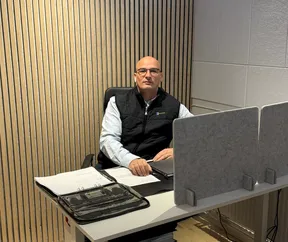
Zeljko Raketic
CEO of Palma Bygg · Translated from Swedish
After registration, we contact you to ask whether you need help getting started.
It interprets the content and creates an opportunity. You can also use interpretation for pasted text. Check the details before continuing.
The customer is who you do business with. The opportunity concerns a concrete need or assignment. The customer page gives you the relationship context.
Start with a focused example from your working day when you try it. This lets you see how the workflow suits you before planning a larger move. After registration, we ask whether you need help getting started.
Click Try for free to reach the pricing page. There you can see plans and current trial terms before registering. To see how Customer Connect works first, you can book a demo.
Try gathering an enquiry, assigning an owner and setting a follow-up in one workflow. Click Try for free to choose a plan on the pricing page. After registration, we contact you and offer help getting started.