
Why Palma Bygg chose Customer Connect
How Palma Bygg gained better control of incoming inquiries and deals with Customer Connect.
Customer Connect is a CRM for seeing which deals are underway and what needs moving forward. Get a shared overview from the first enquiry to the customer’s decision.






An email thread tells you what has been written. To plan sales, you also need to know which deals are ongoing and which need moving forward. The sales pipeline gives that work a shared structure.
The sales process in Customer Connect shows where your sales opportunities stand. The team gets a shared overview of ongoing deals, while the customer’s message and notes are kept in each deal.
How Palma Bygg gained better control of incoming inquiries and deals with Customer Connect.
We were looking for a simpler CRM, and now we save a lot of time on administration that we can spend closing more deals instead.
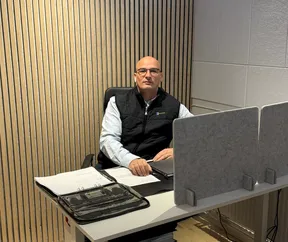
Zeljko Raketic
CEO of Palma Bygg · Translated from Swedish
We use Customer Connect to keep track of sales opportunities in a smooth, structured way. It is easy to use and getting started took very little time — exactly what we needed!

Agnes Lagevald
Project Manager at Novoterm · Translated from Swedish
After registration, we will contact you to ask whether you need help getting started.
It is the steps from first contact to a decision about a deal. A clear process helps you work consistently and understand what remains to be done.
Start by describing how you already handle an enquiry. Use that as your starting point when trying Customer Connect. After registration, we will contact you to ask whether you need help getting started.
Try a small, specific example from your working day. This lets you see whether the workflow suits you before planning a larger move. After registration, we will ask whether you need help getting started.
Click Try for free to reach the pricing page. You can see plans and current trial terms before continuing to registration. If you want to see how Customer Connect works first, you can book a demo.
Try a current enquiry and make it clear what remains before the customer can decide. Click Try for free to choose a plan on the pricing page. After registration, we will contact you and offer help getting started.