
Why Palma Bygg chose Customer Connect
How Palma Bygg gained better control of incoming inquiries and deals with Customer Connect.
Customer Connect is a CRM for small teams receiving customer inquiries. Bring deals together, assign an owner and make it clear who takes the next customer contact.






One colleague reads the email; another knows the customer. Who replies? Decide who will keep the conversation together and assign an owner to the opportunity. You then have a clear starting point for the next step.
In Customer Connect, the customer’s message, notes, ownership and follow-up are kept together. Your colleague has access to the deal’s details when the contact is handed over.
Keep the message, notes and next step together in the deal.
Customer Connect gives the team an overview of deals and follow-ups. Each sales opportunity can have an owner, so everyone can see who handles the customer contact.
See how to organise follow-ups and get an overview of deals.
Still choosing a plan and planning your start? Read about CRM for small businesses.
How Palma Bygg gained better control of incoming inquiries and deals with Customer Connect.
We were looking for a simpler CRM, and now we save a lot of time on administration that we can spend closing more deals instead.
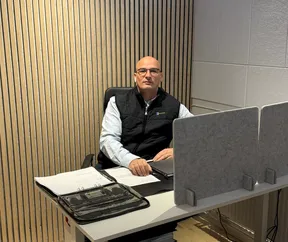
Zeljko Raketic
CEO of Palma Bygg · Translated from Swedish
I have worked with many systems over the years, but Customer Connect is brilliant. User-friendly, business-focused and spot-on!

Mats Winblad
Founder and CEO of MaWin AB · Translated from Swedish
After registration, we will contact you to ask whether you need help getting started.
Several people need to coordinate customer conversations. There is no specific employee threshold for this way of working.
Choose an inquiry and review who owns it, what details you need and when to get back in touch. After registration, we will ask whether you need help.
The button takes you to the pricing page, where you can see current options and terms before continuing. After registration, we will get in touch to ask whether you need help getting started.
Gather the details, assign an owner and plan the next customer contact. Click Try for free to choose a plan on the pricing page. After registration, we will get in touch to ask whether you need help getting started.