Leads in CRM: from contact to deal
Move leads forward in your CRM with clear ownership, current status and next steps. Follow a practical customer conversation from first contact to decision.

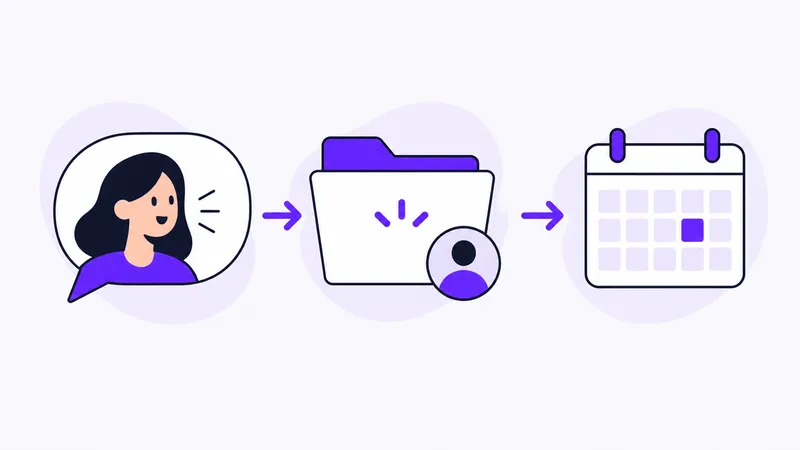
A lead is a contact that could turn into a deal. It might be someone asking for a quote, expressing interest after a conversation or wanting to learn more about a service.
To take the contact forward, you need to understand what the customer needs and decide on the next step. A CRM helps you keep the information, ownership and follow-up together.
How CRM helps you work with leads
For every lead, you need to be able to find contact details, the customer’s needs, your latest agreement and the next step. In Customer Connect, you can handle a specific need as an opportunity, assign an owner and plan a follow-up.
This guide follows the work from the first conversation to the customer’s decision. If you first need a shared routine for receiving enquiries, use the lead management capture template.
Distinguish a potential customer from a specific deal
Not every early contact is ready to discuss a job. Someone may be interested without having a clear need or timeline yet. Continue the conversation to understand whether there is something to work on.
When the contact concerns a specific need, you can handle it as an opportunity. An existing customer can also generate a new deal, for example by asking about an addition or another job.
Read about prospects and opportunities to see the distinction in Customer Connect.
1. Collect what you need to respond
Start with the customer’s own description. Note what the enquiry concerns, how to reach the person and what you have already agreed.
Find out what is missing for the next step:
- What does the customer want done?
- When do they need it?
- Who is involved in making the decision?
- What do you need to know to give a relevant response?
Adapt the questions to the situation. A straightforward order needs less investigation than a job whose scope is still unclear.
2. Decide who owns the conversation
Assign an owner to the opportunity. Several people may contribute answers, but it needs to be clear who will make sure the customer hears back.
When handing over to a colleague, the information needs to show what has happened, what remains and what the customer is waiting for. Review it together if the deal needs more context.
If you work alone, the same note helps when you return to the conversation after other jobs.
3. Make the next step specific
Write what you will do and why. “Follow up” becomes more useful as “Call the buyer on Thursday to check whether the scope has been approved”.
Work from the customer’s timeline. If they need an internal decision before moving forward, agree on a reasonable time to speak again. If the customer is waiting for information from you, handle that task first.
In Customer Connect, you can assign an owner and a follow-up. Read more about follow-ups.
4. Keep the deal’s status up to date
After the contact, write down anything that affects what happens next. Has the need changed? Are you waiting for a reply? Has the customer accepted, declined or postponed the matter?
A useful status shows where the deal stands. It needs to be accompanied by a next action. “Proposal sent” describes what has happened; a planned check-in describes how you will move forward.
If the customer declines, note the reason if you know it. That saves you wondering later whether the deal is still active.
Example: an office cleaning enquiry
In this fictional example, a customer wants help with cleaning, but the scope needs clarification.
- First contact: record the contact person, address and the need the customer described.
- Further details: ask about areas, frequency and the preferred start date.
- Proposal: provide the information the customer needs to decide.
- Follow-up: decide who will get back in touch and when the customer can give an answer.
- Decision: update the deal and note what you have agreed.
The same structure works for many customer conversations. Adapt the content of each step to the service and the person you are talking to.
Example: a lead ready to hand over
Lead information in CRM needs to be sufficient for the person taking the next contact. Here is a hypothetical example after the first call about office cleaning:
| Part of the deal | Example information |
|---|---|
| Customer need | Office cleaning twice a week from next month |
| Contact | The buyer’s name and contact details |
| Open question | Which spaces should the quote cover? |
| Owner | The person checking the scope |
| Next contact | Call the buyer on Thursday afternoon |
| Status | Conversation ongoing; gathering information for a quote |
In Customer Connect, bring the customer’s message and notes together in the deal, assign an owner and set a follow-up. Review the information after the call and update what changed. The next person can then continue from the customer’s latest response.
If you first need to gather enquiries from several sources, start with the registration template in the lead management guide.
Review what is waiting for a next step
Set aside time to review active deals. Check that each has an owner and a current plan. Choose what to do based on the customer’s needs, agreed times and missing information.
Review follow-ups as part of your daily planning.
Develop the routine with a capture template and weekly lead management check. For proposals already sent, there are three quote follow-up email templates.
Start with a deal you are already working on
Collect the information, choose an owner and plan the next contact. If the enquiry is in an email, you can also use AI to interpret the text into an opportunity.
Try for free