What should a customer database include?
Choose useful customer data and keep contacts, conversations and deals organised. A practical guide to what a customer database should include.

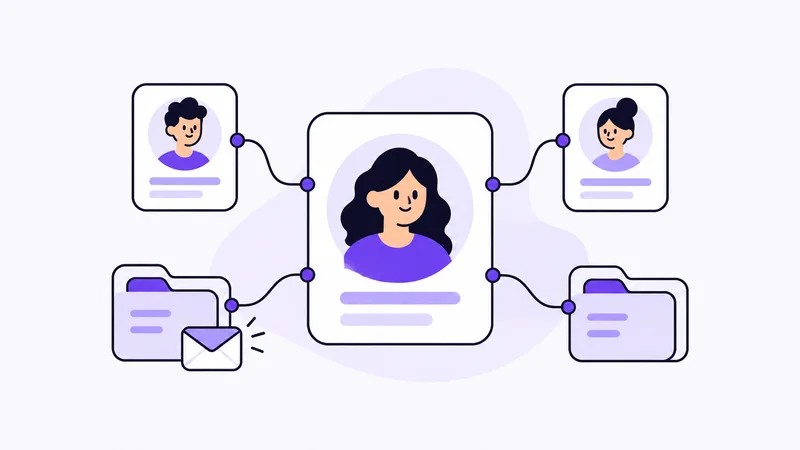
A customer database should contain the customer’s name, current contact details and the people you need to reach. To make the information useful in daily work, you also need to find previous conversations and see which deals belong to the customer.
A customer may ask about something new while an earlier proposal is still awaiting a reply. Finding a phone number is rarely enough: you need to understand what the conversation concerns and where you left off. This guide explains which details to keep and how to organise them without mixing up separate jobs.
What information belongs in a customer database?
Start with the details that identify the customer and help you reach the right person. Add the information you need to continue the relationship.
| Information | How it helps |
|---|---|
| Customer or company name | Find the right customer and recognise the relationship |
| Email and phone | Reach the customer through current contact details |
| Contact person and role | Know who to speak to at a business customer |
| Relevant customer background | Understand context that matters for the relationship |
| Links to current deals | Find the enquiry, quote discussion and information for the right job |
An address and company details may also be useful, depending on your work. You do not need everything at the first contact. Start with what you need to reply and add details as the need becomes clear.
In Customer Connect, you can gather customer details and link contact people to the customer. The customer’s message and the information for a particular enquiry belong to that deal. You keep the relationship together while separating individual jobs.
Separate customers, contacts and deals
The customer is the company or person you have a relationship with. At a business customer, you might speak to the person ordering the work and someone coordinating access. Their names, roles and contact details help you reach the right person.
An opportunity concerns a specific need or job. One customer can have several deals over time, each with its own information, quote status and follow-up. When the customer returns, keep their basic details and collect the new enquiry separately. This makes it clear which quote or agreement a note concerns.
For the terminology, read What is CRM? Customers, contacts and deals.
Example: one customer with two contacts
Imagine a construction company working with a business customer who wants an office renovated and has also asked about a separate job in a storage room. One person orders the work; another arranges access.
This fictional example shows how the information can be separated:
| Part | Example information |
|---|---|
| Customer | Company name and relevant company details |
| Contact 1 | The buyer’s name, role, email and phone |
| Contact 2 | Name and phone of the person arranging access |
| Office renovation | Enquiry, site-visit notes and quote discussion status |
| Storage-room work | Separate enquiry with its own information and next contact |
Do not create a new customer every time another job is discussed. Instead, make it clear which job each quote or agreement belongs to. A question about the storage room should not require searching through office-renovation notes.
Keep conversations close to the next contact
When a customer comes back with a question, you need to find what you have already discussed. Customer Connect keeps the customer’s message and your notes in the deal, ready when you reply, update a quote or clarify the next step.
Save notes that help continue the conversation. “The customer wants to confirm the scope before we quote” provides more context than “Call later”. Connecting the note to the right deal also identifies the proposal. A colleague taking over can use the same information rather than reconstructing the conversation from scattered emails and verbal updates.
Link follow-up to the right deal
The customer database helps you find the customer. Follow-up helps you organise when the conversation should continue. One customer may be awaiting a quote for a new job while another issue needs clarification. Put the follow-up with the relevant deal.
In Customer Connect, you can assign an owner and plan deal follow-up. You can see who handles the contact and when to get back in touch. If you work alone, it helps organise your own customer conversations.
Use AI when a new enquiry arrives
Much of the information for a new job is already in the customer’s email. AI in Customer Connect can interpret incoming emails and create an opportunity. You can also paste text from an email for the same AI to interpret.
Check the details, add what is needed and plan the next contact. You have information to work with while keeping the enquiry separate from the customer’s other deals. Read how Customer Connect gathers customer enquiries.
Keep customer details useful
Update details when you learn that something has changed. If a contact person has left or a phone number has changed, the information needs to be right before your next conversation.
Keep information relevant to customer work. Personal data also needs an appropriate legal basis and handling according to your organisation’s procedures. See the European Data Protection Board’s guide to data protection basics for principles on relevance, accuracy and retention.
Start with a customer you already work with
A useful customer database helps you find the right person and understand the context. Customer Connect keeps customer details, contacts and opportunities close together, with follow-up on the relevant deal.
Try it with a current customer and enquiry. Gather the contact details, review the deal information and decide when to get back in touch. You can see how the parts help in a real conversation.
Try for free: review the current plans and terms before registering. After signup, we contact you to ask whether you need help getting started. You can also book a demo before trying it.