CRM migration checklist for customer data
Prepare your CRM migration: review, clean and check customer data. Follow the checklist for fields, relationships, test transfers and handover.

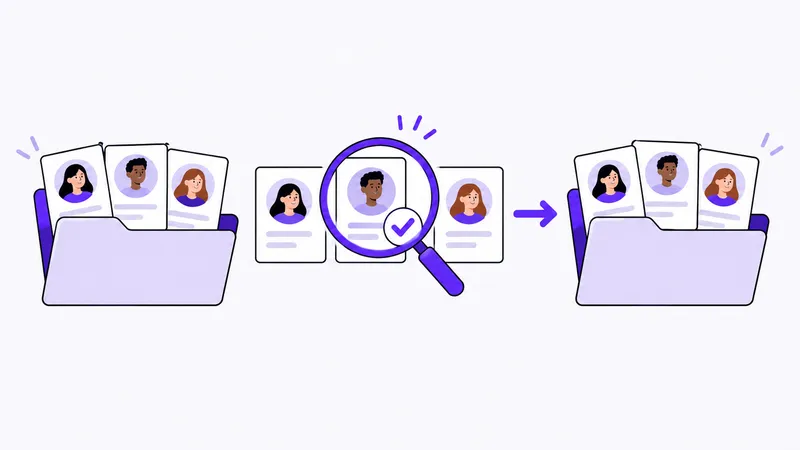
When you change CRM, your customer information needs to remain understandable and useful. Moving names and email addresses is not enough. You also need to know which people belong to each customer, which deals are active and what you have promised to follow up.
This checklist helps you prepare the move. Check with the providers how export and transfer work in your particular tools before deciding on an approach.
Prepare your CRM migration
First, record your current CRM, the information you want to move, the person responsible and your preferred switchover date. Then use the steps below to clarify the fields, test the transfer and check the result.
Plan the migration in this order: take inventory, clean up, map fields, test the transfer and approve it. Ask a colleague who works with customers to check whether they can continue a real customer conversation using the transferred information.
1. Decide what information you need to move
Start with the customers and deals you work with today. Then review the history you need to continue those relationships.
Write down what you want to include, for example:
- Customers and their contact details.
- Contact people and their links to the right customer.
- Active deals with their owner and status.
- Notes needed for the next conversation.
- Planned follow-ups.
Decide how to handle information you will not transfer. Leaving information out of the move is not the same as deciding to delete it. Handle it according to your company’s information rules.
2. Take stock of where the information lives
List the sources: your existing CRM, spreadsheets or other places where you have stored customer information. Decide which source takes priority if the details differ.
Check how the information can be exported and what is included. Ask specifically about relationships, notes, attachments and follow-ups. Exporting a contact list does not necessarily include the customer’s full context.
Choose one person to take responsibility for the source material and another who can check it against day-to-day customer work.
3. Clean up and clarify ambiguities
Review duplicates, missing contact details and deals that are no longer active. Be careful about merging records just because their names look similar. Two people may work for the same customer, and one customer may have several active projects.
Keep an unchanged copy of the export before editing it. That lets you compare with the source if you need to investigate a change.
4. Describe how the fields correspond
A field may have different names in two tools. Check its meaning, not just its label. Make a simple list of where each piece of information should go.
Examples of questions when mapping fields:
| Information in the old CRM | What you need to clarify |
|---|---|
| Company name | Which customer should the contact people be linked to? |
| Contact person | Will the name and contact details be transferred together? |
| Deal status | Which stage in the new way of working corresponds to this status? |
| Owner | Which user should take over responsibility? |
| Next contact | How will the timing and planned action be preserved? |
Use this table as a planning example and fill in how your information should correspond in the two tools.
5. Check the transfer method and test a sample
Confirm how the information can be transferred and what limitations apply. You may need a particular format, help from the provider or a separate process for some information.
Try a small sample that covers different situations: a customer with several contacts, an active deal and a planned follow-up. Check that the intended transfer method really preserves what you need.
Ask a user to try continuing their customer work from the result. This can reveal missing context that a record count would not show.
6. Check the result and plan the switchover
Compare the transferred information with the source. Resolve discrepancies before proceeding:
- Is the number of records reasonable, and are any differences explained?
- Are contact people linked to the right customer?
- Are ownership, status and planned follow-ups correct?
- Can the notes be read and understood?
- Can users find what they need for their next contact?
Decide when you will stop updating the old CRM and how to handle changes made during the move. Also document who to contact and how to continue customer work if the transfer needs to be stopped.
Only end access to the old tool once you have checked the result and know how any remaining information will be handled.
A checklist before and after CRM migration
Use this as a shared checklist for the person transferring data and the people working with customers. Record an owner and result for every item.
Before the transfer
- Save an unchanged copy of the export and record when it was taken.
- Decide which customers, contacts, deals and relationships to include.
- Describe how fields and deal statuses should correspond.
- Test a small sample and document discrepancies.
- Decide how to handle new information during the switch and who can stop the transition.
Before approving the switch
- Compare record counts against the source and explain differences.
- Open a customer with several contacts and check the relationships.
- Check an ongoing deal’s status, owner, notes and next contact.
- Let a user continue a customer conversation with the transferred information.
- List remaining discrepancies, owners and decisions about resolving them.
Document who approves the transition and on what basis. Retain access to the information needed to investigate discrepancies according to company rules. Once the customer information works in its new setting, continue with a shared CRM implementation routine.
Planning to move to Customer Connect?
Contact us with a description of your current CRM, the information you need and how it can be exported. You can then agree on the approach before planning the transfer.
You can also try the way of working in Customer Connect with a focused example. Once the data questions are resolved, the CRM implementation guide helps you plan your team’s start.
Try for free